Hotspot Blocked? Use Your Phone's Internet on a Mac (2026)
Short answer: install Tether Link Utility on your Android phone, tap START SHARING, join the phone's Wi-Fi from the Mac and run our script. The Mac then uses your phone's mobile data for every app, without the phone's built-in hotspot. No root, free for 1 device. Data still comes from your plan, and results can vary by carrier.
Before you start
- An Android phone with mobile data.
- A Mac that can join a Wi-Fi network.
- The script, tlu-mac-tunnel.zip. Download it while the Mac still has internet, or on the phone and send it over by Bluetooth or cable.
The steps
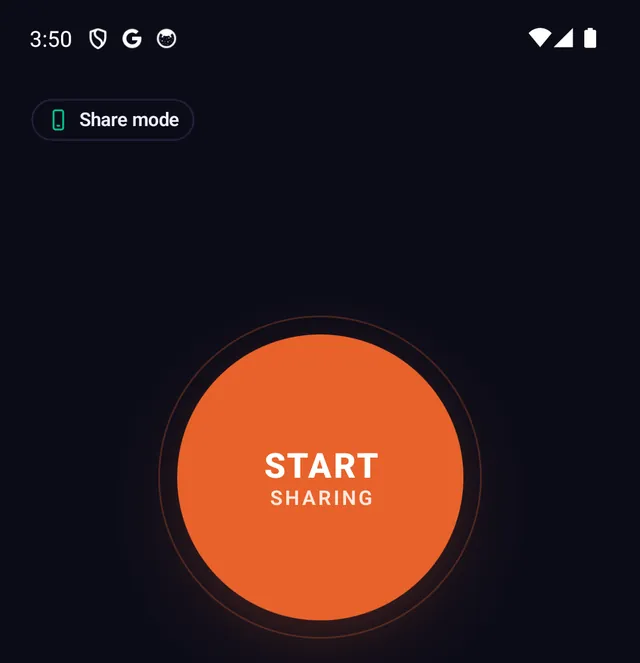
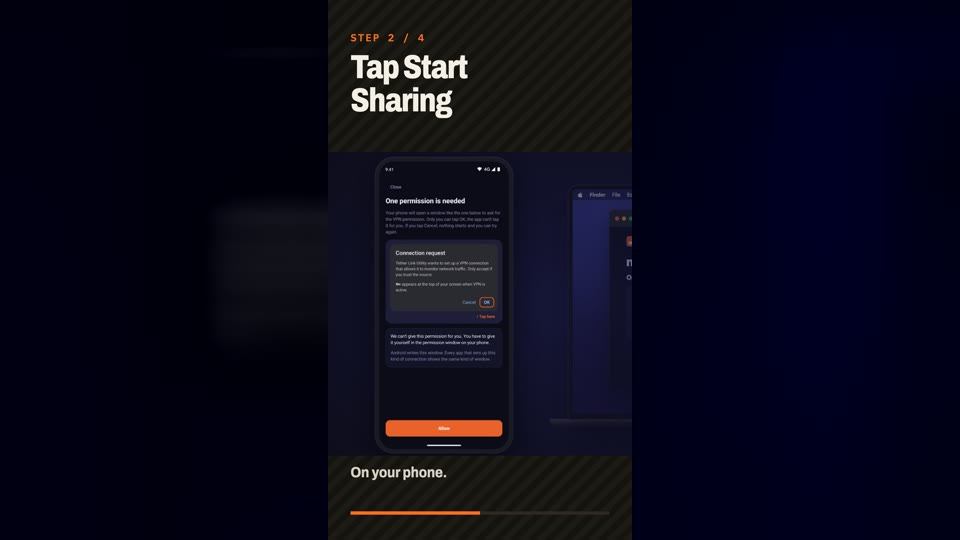
- Start sharing on the phone Open Tether Link Utility and tap START SHARING.
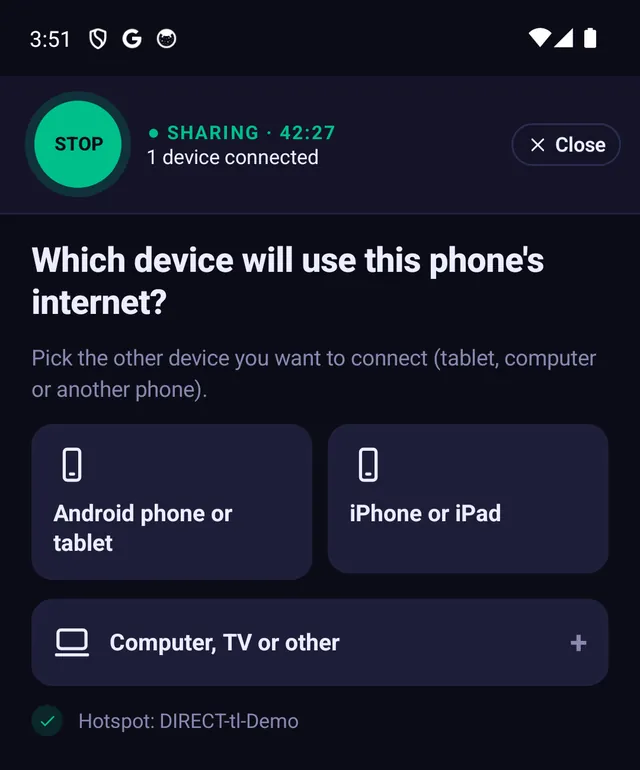
- Choose Computer When the app asks which device will use the phone's internet, tap Computer, TV or other.
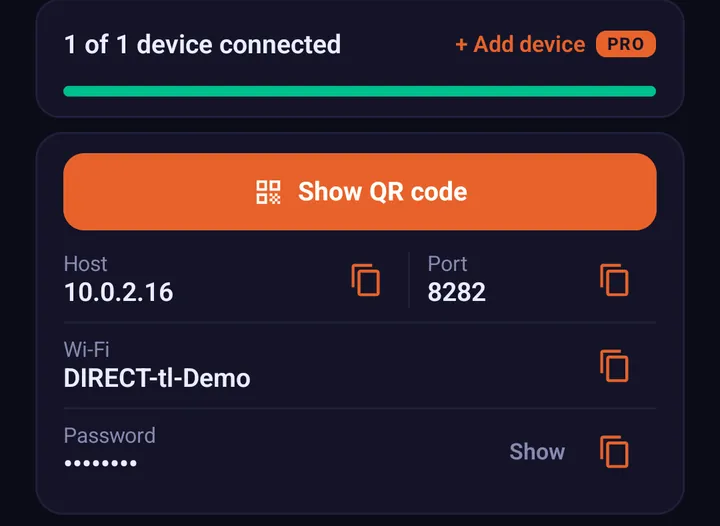
- Join the phone's Wi-Fi on the Mac Pick the network name shown in the app and type the password shown. The Mac may say there is no internet. That is normal for now.
- Open the script folder Double-click the downloaded zip so the tlu-mac-tunnel folder appears in Downloads. Open Terminal, type
cd ~/Downloads/tlu-mac-tunneland press Return. - Run the script and type the numbers Type
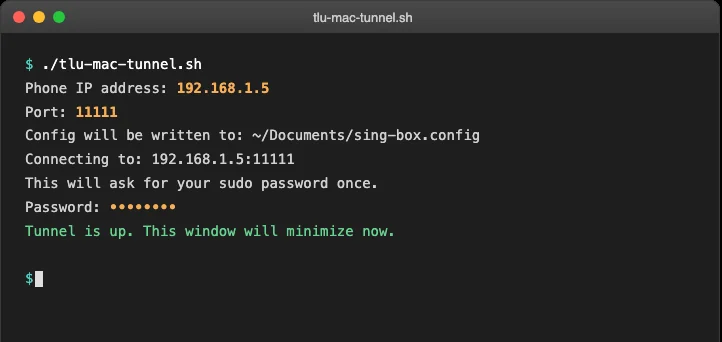
bash tlu-mac-tunnel.shand press Return. When it asks, enter the phone's IP address, the port shown in the app and your Mac password. More detail is in the Mac section of the full guide. - Wait for the connected message When the script says the connection is up, you are online. Keep the window open while you work.
What this does and does not do. It does not create extra data. Everything the other device uses still comes out of your mobile plan, and your carrier's terms for sharing data still apply. What changes is how the data is shared: through a local proxy on your phone instead of the phone's built-in hotspot feature. Results can vary by carrier and plan.
If something does not work
- Still no internet: check the app still says sharing and shows your Mac as connected, then run the script again.
- Browser only: the full guide also covers using a single browser with the proxy.
Frequently asked questions
Can I use my phone's internet on a Mac if hotspot is blocked?
Yes. Tether Link Utility shares your phone's data through a local proxy instead of the built-in hotspot, and a small script connects the Mac so every app uses it. Your carrier's terms still apply and results can vary by carrier.
Do I need to install anything on the Mac?
You download one script, run it in Terminal and type the two numbers shown in the app. The full guide shows each step.
Does it work for every app or only the browser?
The script covers every app on the Mac.
Why does the Mac say no internet on the phone's Wi-Fi?
That is normal before the script connects. Once it says it is connected, apps work.
Is it free?
Free for 1 device at a time. Pro shares with up to 5 devices for $3.99 a month or $19.99 a year.
Tether Link Utility
Bypass carrier hotspot limits. An app that shares your phone's mobile data with your other devices through a local SOCKS5 proxy. No root. No tether fees. Free for 1 device, Pro for 5 devices ($3.99 a month or $19.99 a year).
See how it works