Hotspot Not Included on Your Prepaid or Budget Plan? What You Can Do (2026)
Short answer: prepaid, budget and reseller plans often leave hotspot out or give only a small amount, and the rules differ plan by plan. Check your plan page or carrier app for a hotspot or tethering line. If it is missing or too small, Tether Link Utility can share your phone's data with another device through a local proxy instead. No root, free for 1 device.
Why budget plans often leave hotspot out
Cheaper plans are cheaper partly because they include less. Hotspot is one of the things that is often left out, capped at a small amount, or sold as an add-on. People searching for names such as Mint, Visible, Cricket, Metro, Boost or Straight Talk are usually asking exactly this. We do not list each plan here because the details change often, so use your own plan page as the source.
How to check your plan in a minute
- Open your carrier's app, or sign in on its website.
- Open your current plan and look at what it includes.
- Find the words hotspot, tethering or mobile hotspot. Write down the amount, or whether it says not included.
If the page does not mention hotspot at all, treat that as not included until the carrier tells you otherwise.
Share your phone's data without the built-in hotspot
Tether Link Utility shares your phone's mobile data with another device over Wi-Fi through a local proxy on your phone. Because it does not use the phone's built-in hotspot feature, it can work where that feature is blocked or limited. It is free for 1 device at a time. Pro shares with up to 5 devices at once.
What this does and does not do. It does not create extra data. Everything the other device uses still comes out of your mobile plan, and your carrier's terms for sharing data still apply. What changes is how the data is shared: through a local proxy on your phone instead of the phone's built-in hotspot feature. Results can vary by carrier and plan.
Set it up in 3 steps
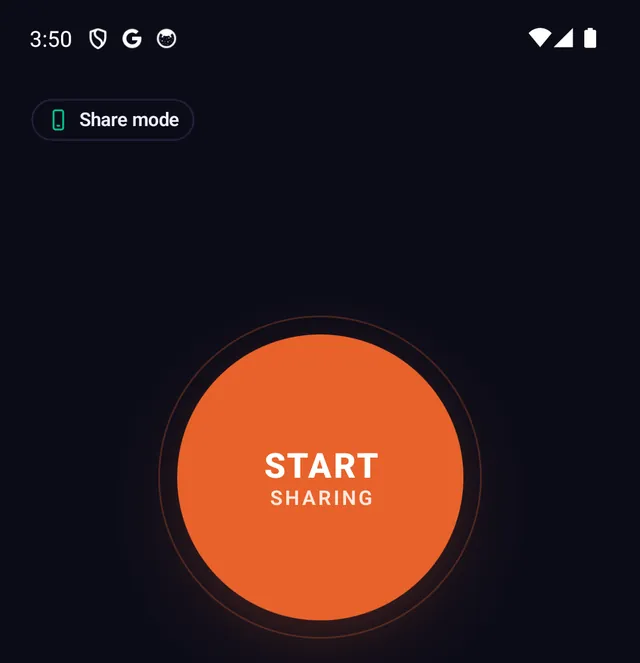
- Install and start sharing Install Tether Link Utility from Google Play on the phone that has the mobile data, open it and tap START SHARING.
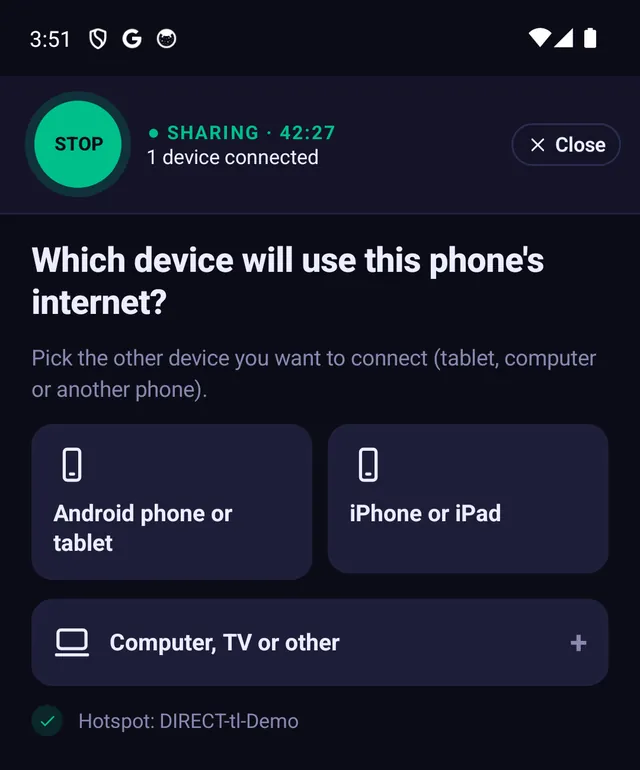
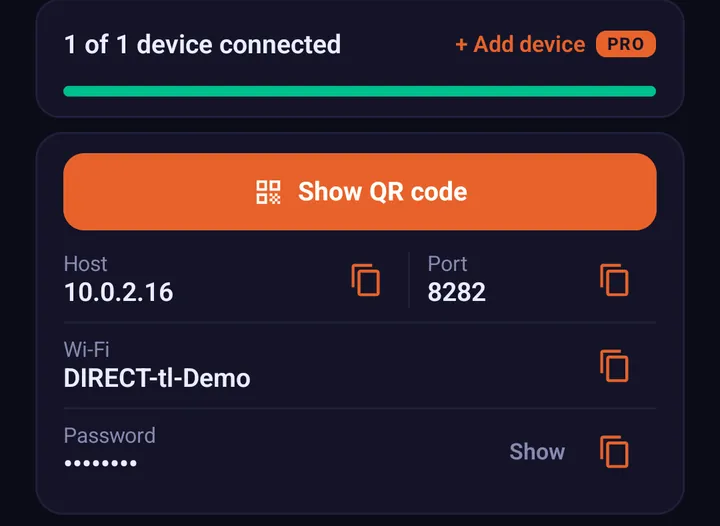
- Join the phone's Wi-Fi On the other device, join the Wi-Fi network shown in the app, with the password shown. It may say "No internet". That is normal at this point.
- Enter the two numbers The app shows two numbers, a host and a port. Type them into the other device's proxy settings. The step-by-step guide for each device is here: How to Set Up a SOCKS5 Proxy on Windows, macOS & iOS.
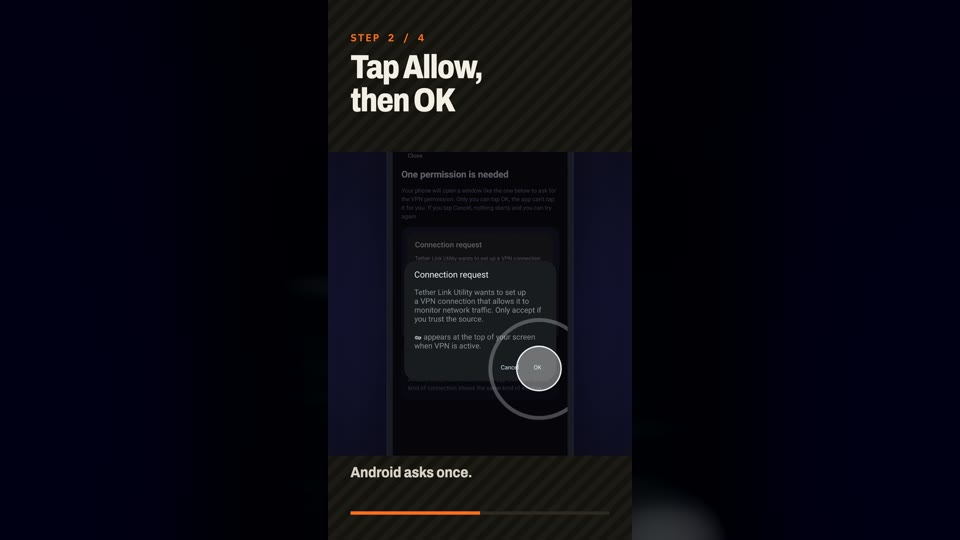
Watch the same steps in about a minute and a half on a real phone and PC:
Other ways to get more from a budget plan
- Ask your carrier whether a hotspot add-on or a higher plan is available.
- Keep big downloads on Wi-Fi so your monthly data lasts longer.
- Lower video quality on the other device. See how much hotspot data you need for typical use.
Frequently asked questions
Can I use hotspot on a prepaid plan?
It depends on the plan. Some prepaid and budget plans include hotspot, some limit it to a small amount and some leave it out. Your plan page or carrier app lists what yours includes.
What if my budget carrier does not allow tethering?
You can share your phone's data through a local SOCKS5 proxy with Tether Link Utility instead of the built-in hotspot. The data still comes from your plan, your carrier's terms still apply and results can vary by carrier.
Do I need root?
No. Tether Link Utility needs no root.
Will it use my plan's data?
Yes. Everything the other device uses counts against your plan like any other use of the phone's data.
How many devices can I share with?
Free shares with 1 device at a time. Pro shares with up to 5 devices at once for $3.99 a month or $19.99 a year.
Tether Link Utility
Bypass carrier hotspot limits. An app that shares your phone's mobile data with your other devices through a local SOCKS5 proxy. No root. No tether fees. Free for 1 device, Pro for 5 devices ($3.99 a month or $19.99 a year).
See how it works